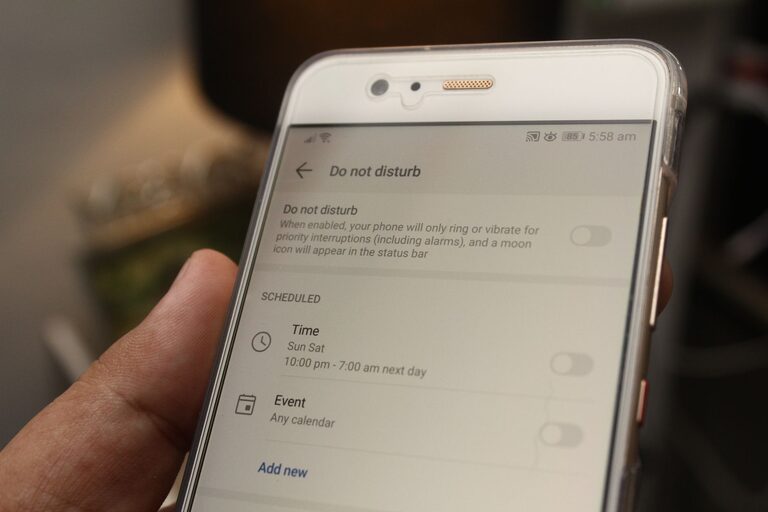

In today’s world, our digital devices have become an essential part of daily life. From smartphones and laptops to cloud storage and social media, the sheer volume of digital content can quickly feel overwhelming. Digital clutter can lead to distractions, stress, and decreased productivity. Fortunately, just like physical clutter, digital clutter can be managed and minimized with intentional habits and tools.
In this post, we’ll explore practical steps to help you declutter your digital life. These strategies will help you feel more organized, focused, and in control.
What Is Digital Clutter?
Digital clutter refers to the accumulation of unnecessary, disorganized, or outdated digital files, apps, emails, and notifications that clutter your electronic devices and online accounts. Examples include:
– Excessive emails
– Duplicate or outdated files
– Unused apps and software
– Disorganized folders or desktop icons
– Overwhelming social media feeds
– Numerous browser tabs open simultaneously
By addressing these areas, you can create a more efficient and enjoyable digital experience.
Why Declutter Your Digital Life?
Decluttering your digital life offers multiple benefits:
– Improved focus: A cleaner digital environment reduces distractions.
– Increased productivity: Access information faster and avoid wasting time.
– Enhanced device performance: Fewer files and apps can improve speed and battery life.
– Better security: Removing unused apps and checking account settings reduces security risks.
– Lower stress: A tidy digital space can promote a sense of calm.
Step 1: Organize Your Files and Folders
One of the biggest sources of digital clutter is disorganized files scattered across devices.
Tips to organize files effectively:
– Create a logical folder structure: Group related files by category, date, or project.
– Use consistent naming conventions: This makes searching and sorting easier.
– Delete duplicates and unnecessary files: Regularly purge old documents, downloads, and media you no longer need.
– Back up important files: Use an external drive or cloud storage to safeguard your data.
– Clean your desktop: Keep only active or frequently used files on your desktop. Move everything else to folders.
Step 2: Manage Your Email Inbox
Email can quickly spiral out of control and become a major source of digital clutter.
How to tame your inbox:
– Unsubscribe from unwanted newsletters: Use tools or manually unsubscribe from emails you no longer find helpful.
– Create folders or labels: Sort incoming emails into categories such as work, personal, bills, or receipts.
– Use filters and rules: Automate the sorting of certain emails to keep your inbox tidy.
– Set a regular schedule to check email: Avoid constant distractions by designating specific times for email management.
– Archive or delete old emails: Keep only relevant and important messages.
Step 3: Declutter Your Apps and Software
Unused or rarely used apps take up space and contribute to digital clutter.
Steps to declutter apps:
– Review all installed apps: Make a list of apps you frequently use and those you don’t.
– Uninstall unnecessary apps: Remove apps that no longer serve a purpose.
– Update important apps: Keep essential apps up to date for performance and security.
– Organize apps on your device: Group apps into folders or pages by category for easier access.
– Limit app notifications: Customize settings to minimize interruptions.
Step 4: Streamline Your Social Media Use
Social media can contribute to information overload and digital chaos.
Tips to manage your social feeds:
– Unfollow or mute accounts: Keep your feed relevant and enjoyable by curating who you follow.
– Limit social media time: Use built-in tools or apps to monitor and reduce usage.
– Turn off unnecessary notifications: Disable alerts that distract you during important tasks.
– Clear saved posts or bookmarks: Regularly review these to avoid accumulating outdated content.
– Set specific times to check social media: Avoid mindless scrolling by establishing boundaries.
Step 5: Manage Browser Tabs and Bookmarks
Having too many tabs open and a disorganized bookmark list can clutter your browsing experience.
How to tidy your browser:
– Close tabs you don’t need: Use tab management extensions if necessary.
– Organize bookmarks into folders: Sort saved links by topic or purpose.
– Delete outdated bookmarks: Keep only relevant links.
– Use reading lists or offline reading features: Save articles to read later instead of keeping tabs open.
– Clear browser cache and cookies regularly: This helps keep your browser running smoothly.
Step 6: Maintain Your Digital Declutter Routine
Decluttering isn’t a one-time project. Regular maintenance keeps your digital life organized.
Helpful habits include:
– Set aside time weekly or monthly: Schedule decluttering sessions for files, emails, apps, and browsing habits.
– Adopt the “one in, one out” rule: When adding new digital content, remove something old.
– Review account privacy and security settings: Keep your digital presence safe and current.
– Use productivity tools and apps: Utilize calendars, task managers, and note-taking apps to stay organized.
– Be mindful of digital consumption: Prioritize quality over quantity in your digital life.
Final Thoughts
Decluttering your digital life is about creating space for what truly matters. By organizing your files, managing emails, trimming apps, and streamlining social media use, you can reduce distractions and boost productivity. With ongoing maintenance and mindful digital habits, you’ll enjoy a calmer, more efficient experience with your technology.
Start small by focusing on one aspect today, and build a clutter-free digital life step-by-step. The effort you invest will pay off with greater clarity, focus, and peace of mind.