
In today’s connected world, notifications from our devices can quickly become overwhelming. Constant pings, alerts, and reminders often interrupt our flow, reduce productivity, and increase stress. Setting healthy boundaries with notifications is essential for maintaining focus, reducing distractions, and improving overall well-being.
This guide offers practical tips to help you manage notifications effectively and take back control of your digital environment.
Why Setting Boundaries with Notifications Matters
Notifications serve an important purpose: to keep us informed and updated. However, when they are too frequent or irrelevant, they can:
– Distract from important tasks
– Increase anxiety or stress
– Interrupt quality time and rest
– Lead to digital burnout
By setting boundaries, you can create a healthier balance between staying informed and staying focused.
Step 1: Audit Your Notifications
Before making changes, take a moment to review what notifications you currently receive. Most smartphones, tablets, and computers have a settings area where you can see all apps that send notifications.
How to audit notifications effectively:
– List all apps sending notifications
– Determine which notifications are essential (e.g., work emails, calendar alerts)
– Identify non-essential or distracting alerts (e.g., social media, games)
Knowing what you get notified about is the first step toward controlling it.
Step 2: Customize Notification Settings
Once you know which apps send frequent notifications, adjust their settings to reduce unnecessary alerts.
Tips for customization:
– Disable notifications for apps you rarely check
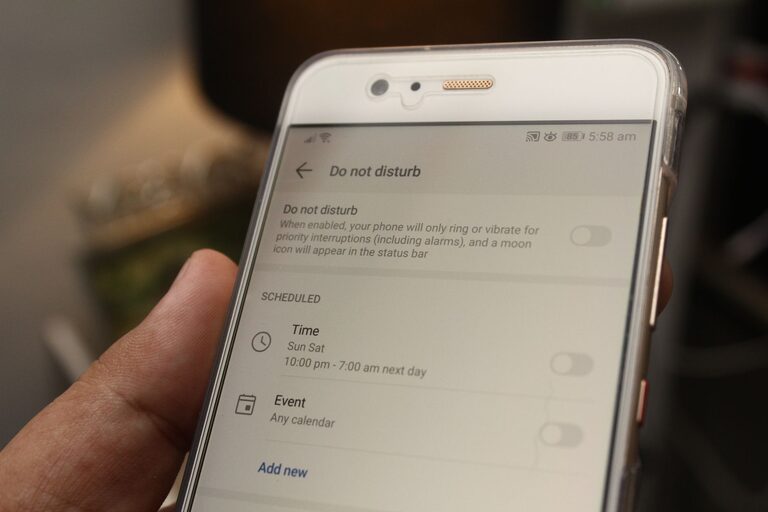
– Set notifications to “Silent” or “Do Not Disturb” modes when appropriate
– Choose to receive summary notifications instead of instant alerts
– Disable sound and vibration for less critical apps
Many apps also let you prioritize notifications, so only important ones demand immediate attention.
Step 3: Use Built-in Focus Tools
Most devices now include features designed to help manage distractions.
Examples include:
– Do Not Disturb mode: Temporarily silences notifications and calls
– Focus modes: Customized profiles that limit notifications during work, exercise, or sleep
– Notification summaries: Bundled notifications delivered at set times
Setting up these tools can help you concentrate without being interrupted by less urgent alerts.
Step 4: Schedule Notification-Free Times
Creating intentional periods without notifications can boost productivity and promote relaxation. Try scheduling specific “notification-free” blocks during the day.
Suggestions for scheduling:
– During work or study sessions
– While spending time with family or friends
– Before bedtime and during sleep
– During meals or exercise
Use your device’s focus features or airplane mode to enforce these breaks.
Step 5: Manage Email Notifications
Email can be one of the biggest sources of notification overload. Here’s how to handle it better:
– Turn off push notifications for non-critical email accounts
– Use filters or labels to prioritize important messages
– Check emails at scheduled times rather than continuously
– Unsubscribe from newsletters or promotional emails you no longer read
This approach helps you avoid constant interruptions from your inbox.
Step 6: Reflect on Your Notification Habits
It’s easy to develop a habit of checking notifications impulsively. Becoming more mindful can help.
Ways to build mindful notification habits:
– Resist the urge to check your device immediately after every alert
– Use your phone’s screen time reports to monitor usage
– Practice deep breathing or brief pauses before responding to notifications
– Set intentions about when and how you engage with your device
Mindfulness can reduce anxiety related to notifications and improve your focus.
Step 7: Communicate Your Boundaries
If you often receive work or family notifications at inconvenient times, let others know your preferred communication hours.
– Inform colleagues or clients about your availability
– Set expectations for response times
– Use status messages or auto-reply features when you’re unavailable
Clear communication reinforces your boundaries and helps others respect your time.
Step 8: Periodically Review and Adjust
Technology and your needs change, so it’s important to regularly revisit your notification settings.
– Schedule monthly or quarterly reviews
– Adjust settings based on new apps or changes in priorities
– Be flexible but mindful of slipping back into old habits
Keeping your boundaries aligned with your life helps maintain balance and control.
Conclusion
Setting boundaries with notifications is a powerful way to reclaim your attention and reduce digital overwhelm. By auditing your alerts, customizing settings, scheduling breaks, and practicing mindfulness, you can create a healthier relationship with your devices.
Try implementing these tips gradually, and notice how reduced notification noise improves your focus, mood, and overall quality of life.
Remember: It’s not about eliminating notifications entirely, but about managing them in a way that serves you best.